
Automatic WordPress installation
Create supported WordPress and WooCommerce sites without assembling the web server, database, and virtual host by hand.
Install and operate WordPress and WooCommerce alongside the DNS, mail, database, security, backup, and monitoring services each production site needs.
Built for agencies, freelancers, hosting providers, and internal teams managing multiple WordPress properties on their own infrastructure.
Create supported WordPress and WooCommerce sites without assembling the web server, database, and virtual host by hand.
Select a supported PHP runtime for each website and keep legacy and current applications separated.
Validate hostnames, issue Let’s Encrypt certificates, force HTTPS, and manage PowerDNS records from the panel.
Give operators access to the websites and feature areas they need without sharing unrestricted server credentials.
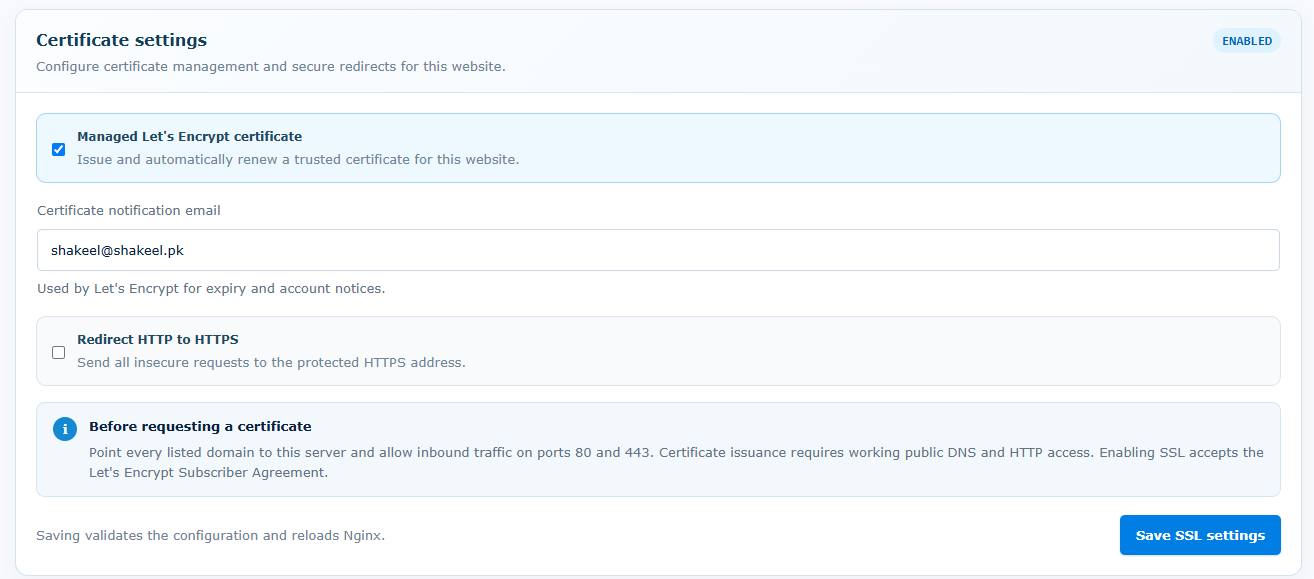
An agency can create a WordPress site, connect its production domain, issue SSL, provision mail, and assign limited access to the operator responsible for that customer.
Use a non-production server first. Confirm application requirements, resource capacity, security controls, and recovery before changing live traffic.
Start with a fresh Linux server and root or sudo access. Ubuntu 22.04 LTS is strongly recommended. Supported architectures: AMD64 and ARM64.
Size CPU, memory, disk, and network capacity for your applications and enabled services. Runtime versions and extensions depend on the operating system and architecture. Core Panel runs on Linux; Windows hosting stacks require a separate compatibility and migration assessment.
Use the official installer on the destination server, keep the terminal open until it finishes, and store the generated sign-in credentials securely. Check domains, application dependencies, backups, and recovery before moving live traffic.
Core Panel manages the hosting stack, not WordPress code quality or plugin compatibility. Server capacity, PHP and extension requirements, object caching, CDN configuration, and high-availability design remain workload-specific.
Yes. The Core Panel license includes unlimited websites on the licensed server, subject to the server resources and limits you configure.
WooCommerce is available as a supported application installer. Validate extension and resource requirements during the trial before moving a production store.
Supported PHP branches can be assigned per website, allowing applications with different runtime requirements to share a server.
The Enterprise plan includes the complete feature set and a 14-day trial with no credit card required.
Review Pricing