
Built-in PostgreSQL workflow
Provision PostgreSQL databases and users from the same panel used for websites, SSL, DNS, monitoring, and backups.
Run PostgreSQL-backed PHP, Node.js, and Python applications while managing databases, least-privilege users, domains, SSL, monitoring, and backups from Core Panel.
Reviewed by Shakeel Ahmed, Lead Architect on
For developers, agencies, and hosting operators running data-intensive or high-traffic applications that need PostgreSQL as a first-class database option alongside MySQL and MariaDB.
Provision PostgreSQL databases and users from the same panel used for websites, SSL, DNS, monitoring, and backups.
Browse supported schemas, tables, and rows from the panel when routine inspection is required.
Give each application a scoped database identity instead of reusing administrative credentials.
Choose PostgreSQL, MySQL, or MariaDB according to the application instead of forcing every workload onto one database engine.
The first-party report publishes five repeated runs, 41,884 request records, latency percentiles, errors, persistent connection counts, process resource samples, the deterministic dataset, and every reproduction script. It is a developer-machine baseline—not a production capacity guarantee.
PostgreSQL gives application teams a mature relational database with features used by demanding transactional and data-rich systems. Core Panel makes that database a practical part of everyday hosting operations.
Bring database provisioning together with Nginx-hosted applications, TLS, monitoring, access control, and recovery workflows.
Use PostgreSQL when its data types, indexing, concurrency model, extensions, or application ecosystem fit the project; keep MySQL or MariaDB where they fit better.
Validate indexes and queries, pool connections where appropriate, load-test realistic traffic, and plan replicas or external database services when one server is no longer enough.
cPanel & WHM can support PostgreSQL, but its official documentation describes PostgreSQL as an optional server role that must be installed and configured. Core Panel positions PostgreSQL directly in its database workflow with built-in PostgreSQL Studio.
Verify PostgreSQL support in the official cPanel documentation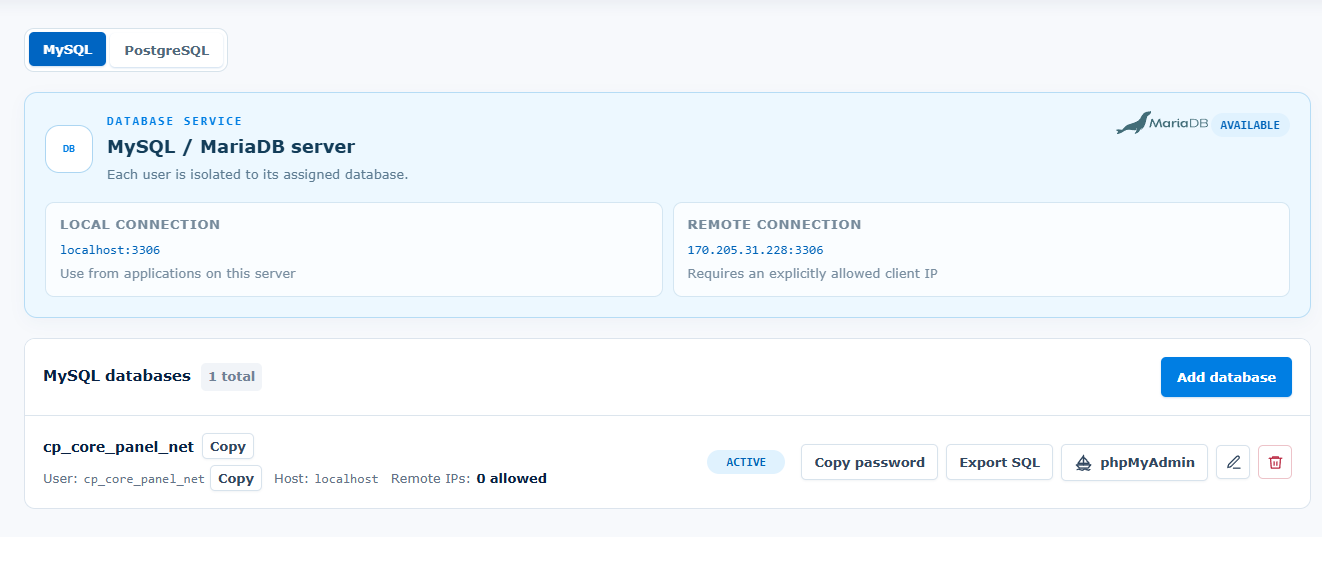
An operator can create a dedicated database and least-privilege user for a busy application, connect it without exposing administrative credentials, and keep routine database operations beside the rest of the hosting stack.
Use a non-production server first. Confirm application requirements, resource capacity, security controls, and recovery before changing live traffic.
Start with a fresh Linux server and root or sudo access. Ubuntu 22.04 LTS is strongly recommended. Supported architectures: AMD64 and ARM64.
Size CPU, memory, disk, and network capacity for your applications and enabled services. Runtime versions and extensions depend on the operating system and architecture. Core Panel runs on Linux; Windows hosting stacks require a separate compatibility and migration assessment.
Use the official installer on the destination server, keep the terminal open until it finishes, and store the generated sign-in credentials securely. Check domains, application dependencies, backups, and recovery before moving live traffic.
PostgreSQL is not automatically faster or better than MySQL for every application, and a control panel alone does not make a website ready for heavy traffic. Capacity depends on application code, queries, indexes, connection management, caching, server resources, traffic shape, and architecture. Core Panel does not replace query tuning, schema design, replication planning, point-in-time recovery, load balancing, or a managed database service.
Not universally. Both can support substantial workloads when the application, schema, queries, indexes, caching, connections, and infrastructure are designed well. Choose the engine that fits the application and validate it with representative load tests.
Yes, when PostgreSQL is installed and configured by the server administrator. Core Panel differentiates itself by making PostgreSQL and PostgreSQL Studio part of its built-in database-management workflow, not by claiming cPanel has never supported PostgreSQL.
Yes. MySQL and MariaDB are supported alongside PostgreSQL, with phpMyAdmin available for supported MySQL administration.
The license does not impose a database-count tier. Practical capacity remains limited by server resources and the limits you configure.
No. A backup should be treated as unverified until you have successfully restored it into an isolated environment.
The Enterprise plan includes the complete feature set and a 14-day trial with no credit card required.
Review Pricing