
PostgreSQL backups are only useful when they are automatic, protected from the failure of the source server, and proven by a successful restore. This guide explains a practical workflow for PostgreSQL databases hosted with Core Panel, including dump formats, recovery objectives, encryption, retention, off-server storage, and restore verification.
Define RPO and RTO before choosing a schedule
The recovery point objective (RPO) is the maximum amount of recent data the business can afford to lose. The recovery time objective (RTO) is the maximum acceptable time to restore service. A daily dump can provide an RPO of up to 24 hours, but only if the job completes and the copy remains usable. A ten-minute RPO may require continuous archiving or a managed PostgreSQL design rather than periodic dumps.
Write both objectives down for each database. A brochure site, customer portal, and payment system usually need different schedules. Estimate restore time with production-sized data instead of assuming that a successful backup automatically meets the RTO.
Record the PostgreSQL version and backup scope
Before automating anything, record the server version, client-tool version, database size, required extensions, role dependencies, and whether large objects are present. Use a compatible pg_dump version; PostgreSQL client tools should not be older than the server being backed up.
psql --version
pg_dump --version
psql -d app_database -c "SHOW server_version;"
psql -d app_database -c "SELECT pg_size_pretty(pg_database_size(current_database()));"
Core Panel can create PostgreSQL databases and scoped users, but engine versions and advanced extensions remain server-specific. Confirm the versions available on the target host before relying on this procedure.
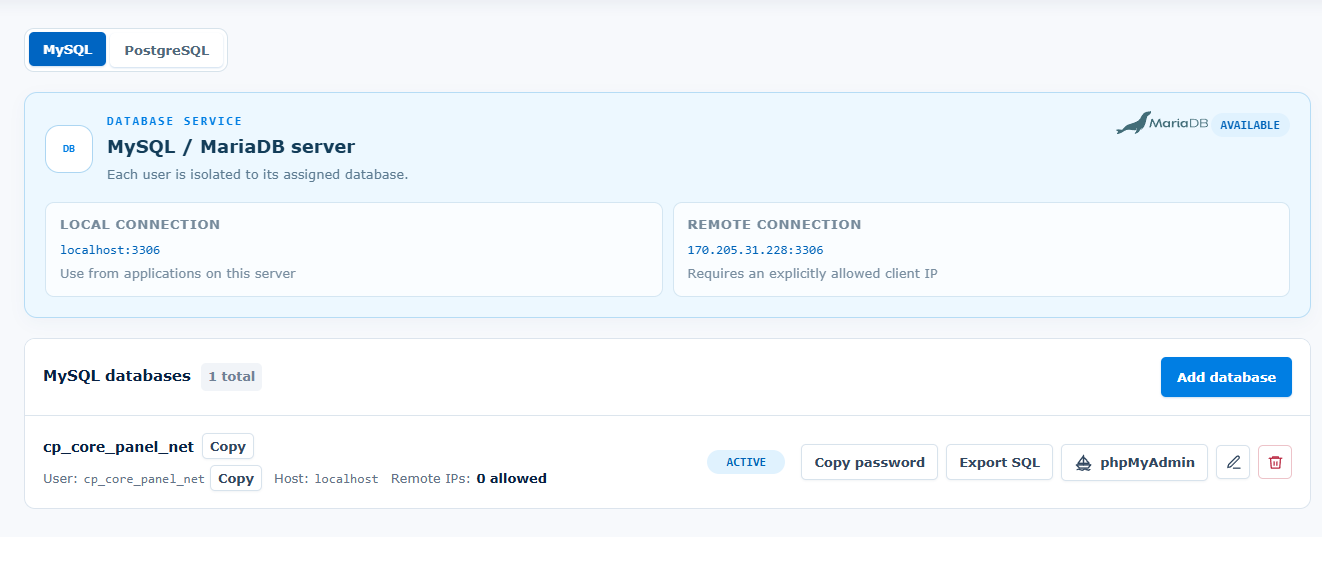 Core Panel keeps database provisioning and scoped user management alongside the rest of the hosting workflow.
Create a custom-format database dump
For most application databases, PostgreSQL's custom archive format is a practical default because it is compressed, supports selective restore, and can use parallel jobs during restoration. Run backups as a database identity with only the privileges required to read the intended objects. Do not place a database password directly in a cron command or shell history.
install -d -m 700 /var/backups/postgresql
pg_dump --format=custom --compress=6 --no-owner --no-acl   --file=/var/backups/postgresql/app_database-2026-08-31.dump   app_database
Use a protected .pgpass file with mode 600, a service definition, or your deployment secret mechanism for unattended authentication. If roles and tablespaces are required for disaster recovery, export global objects separately and protect that file carefully because role metadata can be sensitive.
pg_dumpall --globals-only > /var/backups/postgresql/globals-2026-08-31.sql
chmod 600 /var/backups/postgresql/globals-2026-08-31.sql
Verify the archive before transfer
A zero-byte file or truncated archive should never be uploaded as the newest recovery point. Check the command exit status, confirm the archive can be listed, record its size, and generate a checksum before transfer.
pg_restore --list /var/backups/postgresql/app_database-2026-08-31.dump > /dev/null
sha256sum /var/backups/postgresql/app_database-2026-08-31.dump   > /var/backups/postgresql/app_database-2026-08-31.dump.sha256
Configure the scheduled task to fail visibly when any command fails. Route failures to monitoring or an operator notification rather than relying only on the presence of a file.
Encrypt and store copies off-server
A backup stored only on the database server is not a disaster-recovery copy. Transfer encrypted archives to an independent S3-compatible bucket or another controlled destination with separate credentials, restricted write access, and versioning or object-lock protection where appropriate.
Encrypt before upload when the destination should not receive plaintext data. Use an approved encryption tool and a key-management process that is independent of the source server. Keep recovery keys out of cron commands, application repositories, logs, and the same backup directory. After upload, compare checksums or object metadata and periodically test downloading from the exact destination used in an emergency.
Use a retention policy that preserves multiple recovery points
A simple starting policy for a moderate application might keep seven daily, four weekly, and twelve monthly recovery points. That is an example, not a universal requirement. Match retention to legal obligations, business risk, storage cost, database growth, and the time needed to detect corruption or accidental deletion.
- Keep at least one recovery point outside the source server and hosting account.
- Prevent one compromised credential from deleting both production data and every backup.
- Monitor backup age, size changes, job failures, destination capacity, and checksum failures.
- Document who can restore data and how recovery keys are obtained.
Restore into an isolated database
Never make the first restore attempt during an outage. Create an isolated target using a compatible PostgreSQL version, restore required global objects when appropriate, create an empty database, and load the archive.
createdb app_database_restore_test
pg_restore --exit-on-error --no-owner --no-acl   --dbname=app_database_restore_test   /var/backups/postgresql/app_database-2026-08-31.dump
Do not point the production application at the restored database until validation is complete. If ownership must be reassigned, do it deliberately for the target environment rather than restoring privileged ownership blindly.
Verify application-level recovery
A restore command returning zero does not prove that the application is usable. Record table counts, migration state, critical-row checks, extension availability, permissions, sequence values, and application smoke tests. Confirm logins, representative reads and writes, background jobs, and expected integrations in a non-public environment.
- Verify the archive checksum after download.
- Restore into an isolated database with logs captured.
- Compare expected tables, row counts, and application migrations.
- Run application smoke tests without contacting real customers or external production services.
- Record restore duration and compare it with the RTO.
- Document failures, corrective actions, and the next scheduled drill.
Automate the workflow with Core Panel
Use Core Panel cron jobs to schedule the approved script, then monitor the result instead of scheduling an unobserved command. Review the PostgreSQL hosting control panel page for the complete product workflow and the Core Panel database documentation for database and user operations.
For high-traffic or low-RPO systems, periodic logical dumps may be only one layer of recovery. Evaluate continuous WAL archiving, point-in-time recovery, replication, connection management, and an external managed database when the workload requires them. Core Panel helps operate the hosting stack, but database architecture and recovery acceptance remain workload-specific.
Choose logical, physical, and point-in-time recovery by objective
pg_dump is a logical export. It is portable across many supported version paths, can restore selected objects, and is useful for migrations and object-level recovery. Its restore time grows with database size and the work required to rebuild indexes and constraints. It does not by itself provide continuous point-in-time recovery.
Physical base backups reproduce a PostgreSQL cluster at the storage level and are used with WAL archiving for point-in-time recovery. They require a different toolchain, compatible server environment, careful retention of the WAL chain, and regular recovery tests. Replication can improve availability, but it is not a substitute for protected backups: accidental deletion and corruption can replicate.
Many production systems use layers—for example, regular logical dumps for portability plus physical backups and WAL archiving for a lower RPO. Choose from measured database size, change rate, acceptable data loss, restore time, recovery scenarios, operator skill, and storage cost. If the documented RTO cannot be met by a logical restore, change the architecture before an incident proves it.
Design the backup job to fail safely
Write the script so a failed command stops the run and prevents an incomplete file from being promoted as the newest recovery point. Use a temporary filename or directory, verify the archive, generate its checksum, complete the protected transfer, and only then update any “latest” pointer.
#!/usr/bin/env bash
set -Eeuo pipefail

backup_dir=/var/backups/postgresql
archive="$backup_dir/app_database-$(date -u +%Y%m%dT%H%M%SZ).dump"
partial="$archive.partial"

umask 077
pg_dump --format=custom --compress=6 --no-owner --no-acl   --file="$partial" app_database
pg_restore --list "$partial" > /dev/null
mv -- "$partial" "$archive"
sha256sum "$archive" > "$archive.sha256"
This example intentionally omits destination-specific encryption and upload commands. Add them using approved tools, quote variables, avoid placing secrets in command lines, and trap failures so partial local artifacts are handled according to policy. Run the script under a dedicated operating-system identity where practical.
Monitor freshness, completion, and anomalies
A scheduler showing “ran” is not evidence that a usable copy reached independent storage. Emit a structured success signal only after archive verification and transfer complete. Monitor:
- age of the newest verified off-server recovery point;
- job exit status, duration, and failure stage;
- archive size and unusual change from its recent baseline;
- checksum and upload verification results;
- destination capacity, retention execution, and deletion failures;
- age and outcome of the latest full restore drill.
Alert before the RPO is breached. Route the alert to a named owner with a runbook that explains how to inspect the job, preserve evidence, and create a replacement recovery point without deleting the last known-good copy.
Test credential and destination failure modes
In a controlled environment, verify that an expired database credential, unavailable backup destination, full local filesystem, failed encryption step, or checksum mismatch produces a visible failure and does not overwrite a good recovery point. Confirm that source-server credentials cannot erase every protected copy. Versioning, object lock, separate accounts, or an offline copy may be appropriate depending on risk.
Recovery access can fail too. Test who can retrieve encryption keys and backup objects during an outage, including the escalation path when the usual operator is unavailable. Keep emergency access narrow, audited, and separate from the production server.
Coordinate application-level consistency
pg_dump takes a transactionally consistent snapshot of the PostgreSQL database, but the application may depend on files, object storage, queues, search indexes, or another database. Document whether those components must be captured at a coordinated point or rebuilt after recovery.
For systems that span several services, define an application recovery marker or reconciliation procedure. A database restore can be technically correct while leaving missing uploads, duplicated jobs, or external transactions that require operator action.
Turn restore tests into an operating control
Use the detailed PostgreSQL backup-and-restore test runbook for Core Panel to retrieve a real off-server archive, restore it into an isolated target, validate database objects and business invariants, run a safe application smoke test, and measure the complete RTO. Store the result without secrets and assign every failure an owner and due date.
Repeat the drill after major PostgreSQL upgrades, backup-tool changes, significant data growth, credential or destination changes, and architecture migrations. A quarterly drill may be a useful starting cadence for an important system, but risk and obligations should determine the schedule.
Connect backups to production readiness
Backups are one part of the wider production PostgreSQL hosting checklist. Connection saturation and long transactions can also affect dump duration and operational headroom, so review PostgreSQL connection pooling and monitoring for busy websites before scheduling heavy work on a high-traffic server.
Core Panel can coordinate database provisioning, scoped users, cron scheduling, and the surrounding hosting workflow. Review the PostgreSQL hosting and recovery workflow in Core Panel, but keep ownership of the backup architecture, off-server storage, monitoring, keys, restore validation, and recovery acceptance explicit.